
Free 2D art and skeletal animation, in your browser
PixlSail is a free pixel art editor and 2D skeletal animator for indie game developers. Draw sprites in layers, rig them with bones and weighted meshes, animate them on a timeline, and export Spine-format JSON, Godot 4 scenes or sprite sheets. Free in your browser. No account. Nothing to install.
The editor opens with an animated sailboat you can take apart. The editor needs JavaScript; this page works without it. Docs · Aseprite alternative · Spine alternative
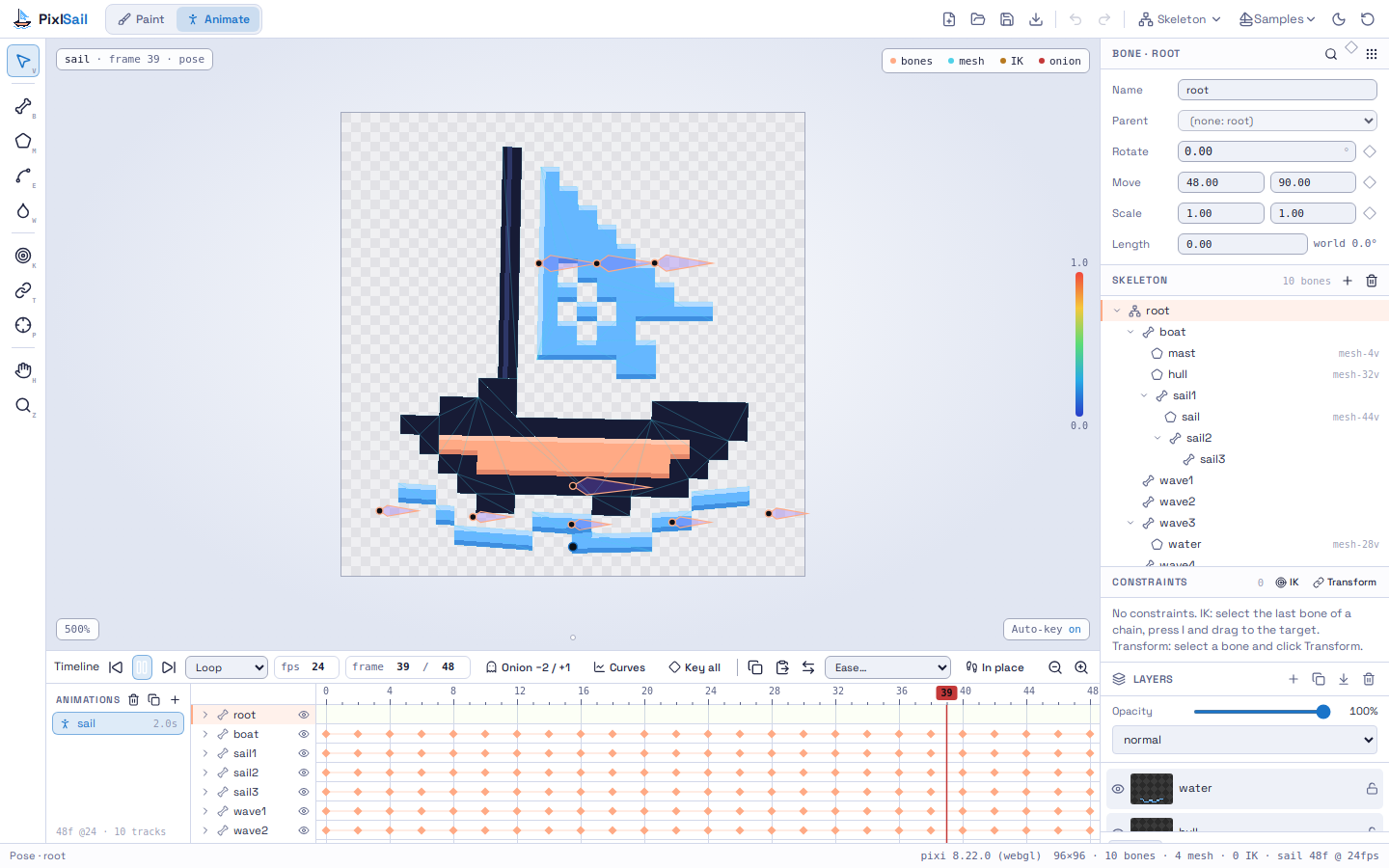
Skeletal animation for sprites
Bones and meshes
- Draw bone hierarchies on top of your art; rename, reparent and move pivots.
- Generate a mesh from a sprite's pixels at a chosen vertex budget, then edit vertices.
- Auto-weigh meshes to bones and refine with a weight brush.
- Bind rigid parts to a single bone.
IK and constraints
- Inverse kinematics with two-bone, CCD and FABRIK solvers.
- Transform constraints so one bone follows another.
Timeline
- Rotate, translate and scale keys per bone, with linear, stepped and bezier curves and a curve editor.
- Onion skin, looping playback, and copy and paste of keys.
A pixel art editor built for game sprites
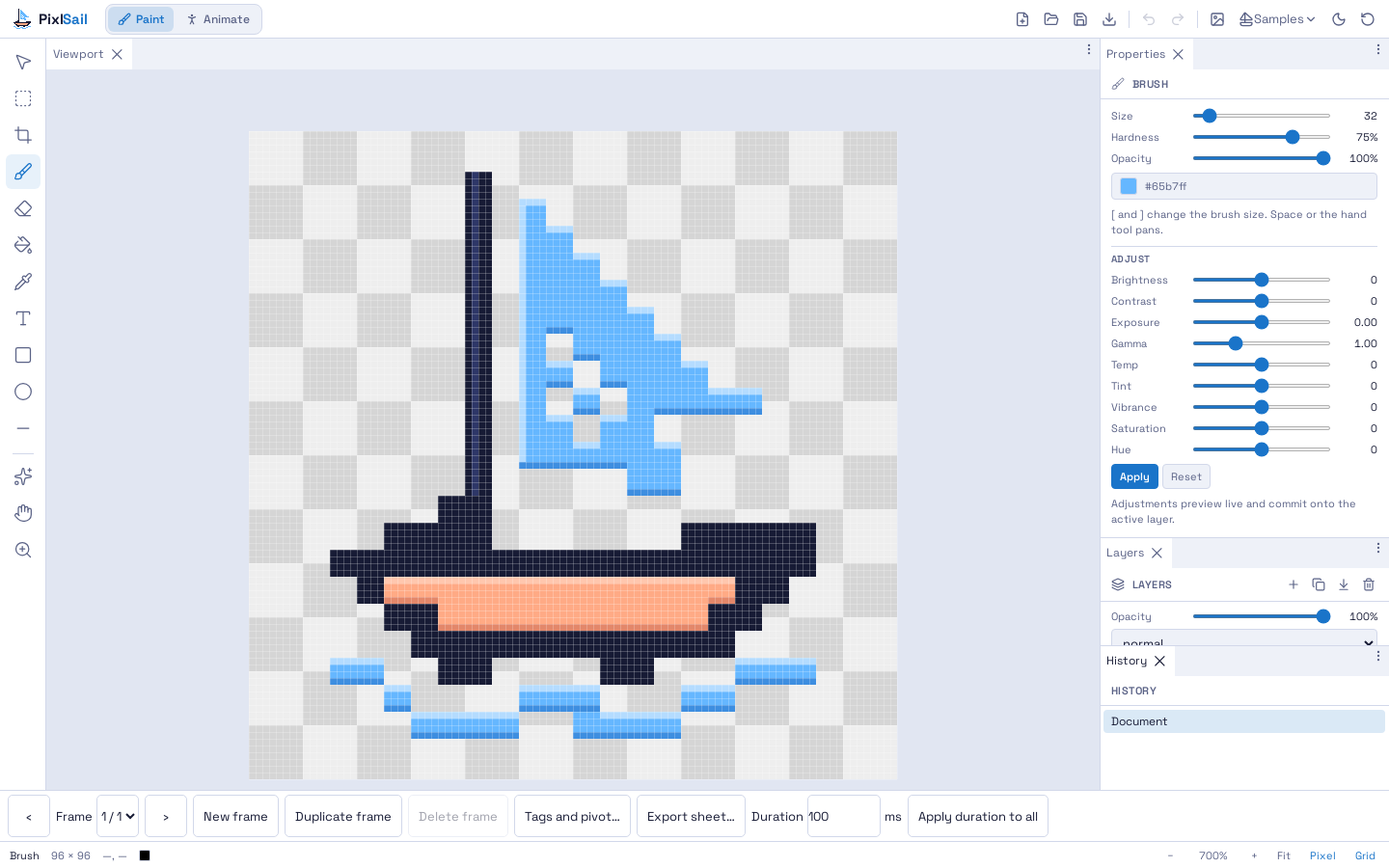
- Sprite canvas presets from 16 to 512 pixels, crisp zoom and a pixel grid.
- Brush, eraser, fill, shapes, selection and text, with layers and blend modes.
- Pixelize, palette, grayscale, blur and other filters.
- Up to 256 animation frames with tags and a pivot.
Export to your engine
- Godot 4 scene: a
.tscnwith Skeleton2D, Bone2D, weighted Polygon2D meshes and an AnimationPlayer. No plugin or runtime needed. - Spine-format JSON: bones, slots, IK, transform constraints, weighted meshes and animations in Spine's 4.1 JSON layout.
- Sprite sheets: Aseprite JSON (hash or array) and Godot 4 SpriteFrames (
.tres). - Images and projects: PNG, and
.pxsailproject files that keep layers, frames and the rig.
Questions
Is PixlSail free?
Yes. Free in your browser. No account.
Do I need to install anything or sign up?
No. Open pixlsail.io in a desktop browser. Your work autosaves in that browser, and you can save .pxsail project files to disk.
Is PixlSail a Spine alternative?
For the core rigging workflow, yes: bones, weighted meshes, IK, transform constraints and curve keys, with Spine-format JSON export. Spine is far more mature: it has official runtimes for many engines, path constraints, mesh deformation keys and years of polish. PixlSail does not import Spine projects.
Can I use the animations in Godot?
Yes. The Godot export is a ready-made Godot 4 scene with the skeleton, meshes and baked animations, so you can drop it into a project without a plugin.
Does it work on phones and tablets?
Painting and filters work on phones. Animate mode needs a desktop or laptop browser for now.
Where are my files stored?
In your browser's own storage while you work, and wherever you save or export them. Projects are not uploaded.